
AGENTIC PERIODIC TABLE
Universal Framework for AI Agent Design & Development

The agent-building landscape today is pretty mad.
In just a few years, the whole thing exploded from simple chatbots into a maze-like ecosystems of tools, platforms, and frameworks.
It is defined by:
COMPLEXITY
Agents integrate dozens of moving parts → LLMs, vector stores, orchestration layers, guardrails, feedback loops… The overall system quickly becomes too tangled to understand.
WARP SPEED EVOLUTION
Yesterday's best practice is today's legacy. Everything feels like it's changing constantly.
As someone who is pretty good at keeping up with AI, I can barely keep up with it all. That leads me to believe that very few other people are keeping up, either
—Ethan Mollick
SCATTERED KNOWLEDGE
Insights hide in industry newsletters, GitHub docs, conference videos, and Slack communities.
All this creates CONFUSION.
Multiplied by social media where buzzwords spread faster than careful explanations.
The Agentic Periodic Table is my attempt to break these vicious loops.
Untangle the complexity
Provide scaffolding for agent builders
Give teams a shared vocabulary
Establish a tracking system for industry updates
Give newcomers a clear map to the landscape
Let’s dive into it!
FRAMEWORK
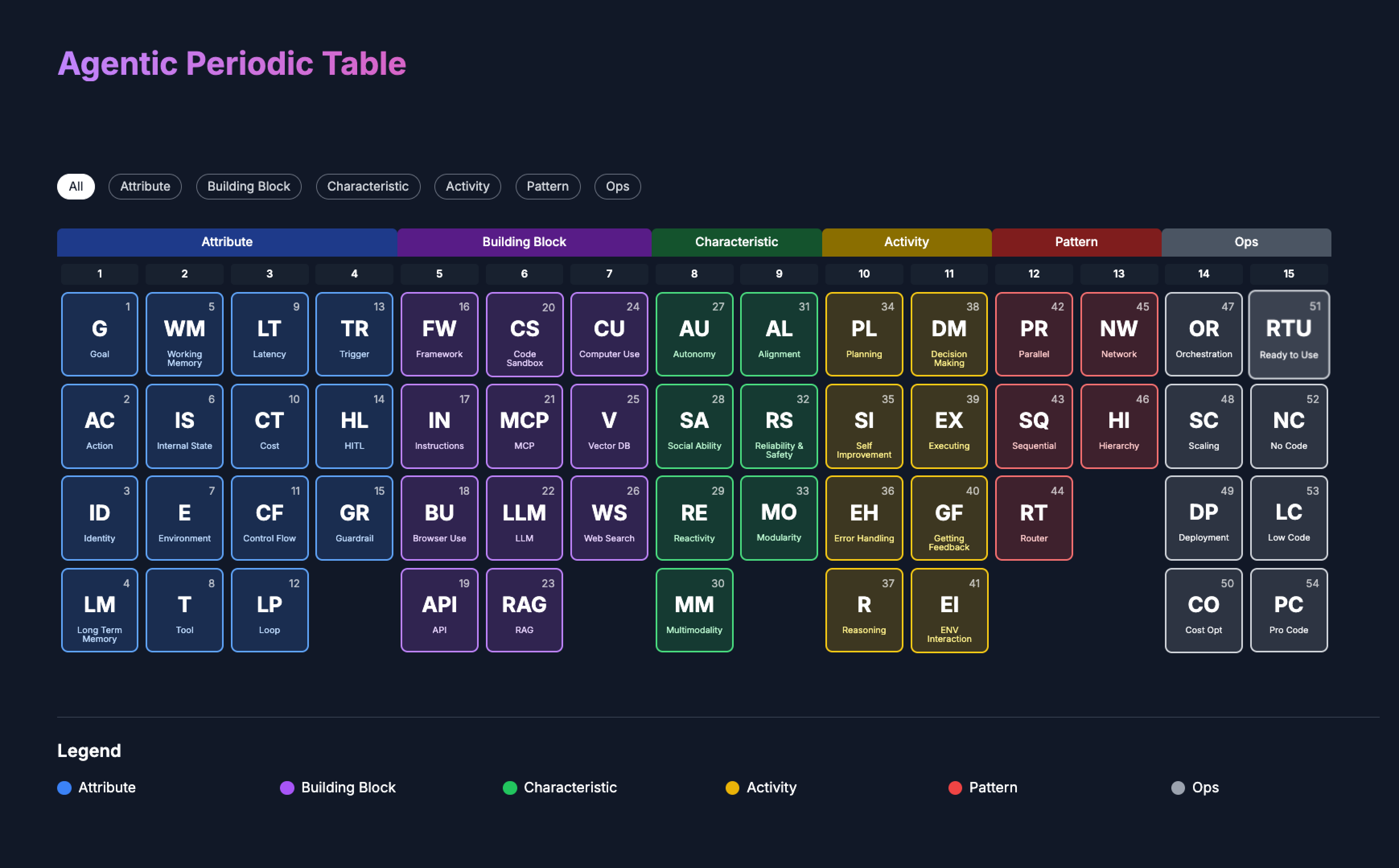
In a nutshell it goes like this:
AI agents → autonomous systems powered by LLMs.
They possess distinct Characteristics & Attributes
Agents can perform a number of Activities
They are constructed from key Building Blocks
Agents interact following certain Patterns.
You can employ ready-to-use agents.
Or build your own using different approaches.
Custom agents need continuous Ops to remain robust.
Now let’s explore each category.
ATTRIBUTES
An agent begins with a clear Goal and a stable Identity.
Goal → the specific outcome the agent is built to deliver.
Identity → a fixed persona and purpose that shape responses and actions.
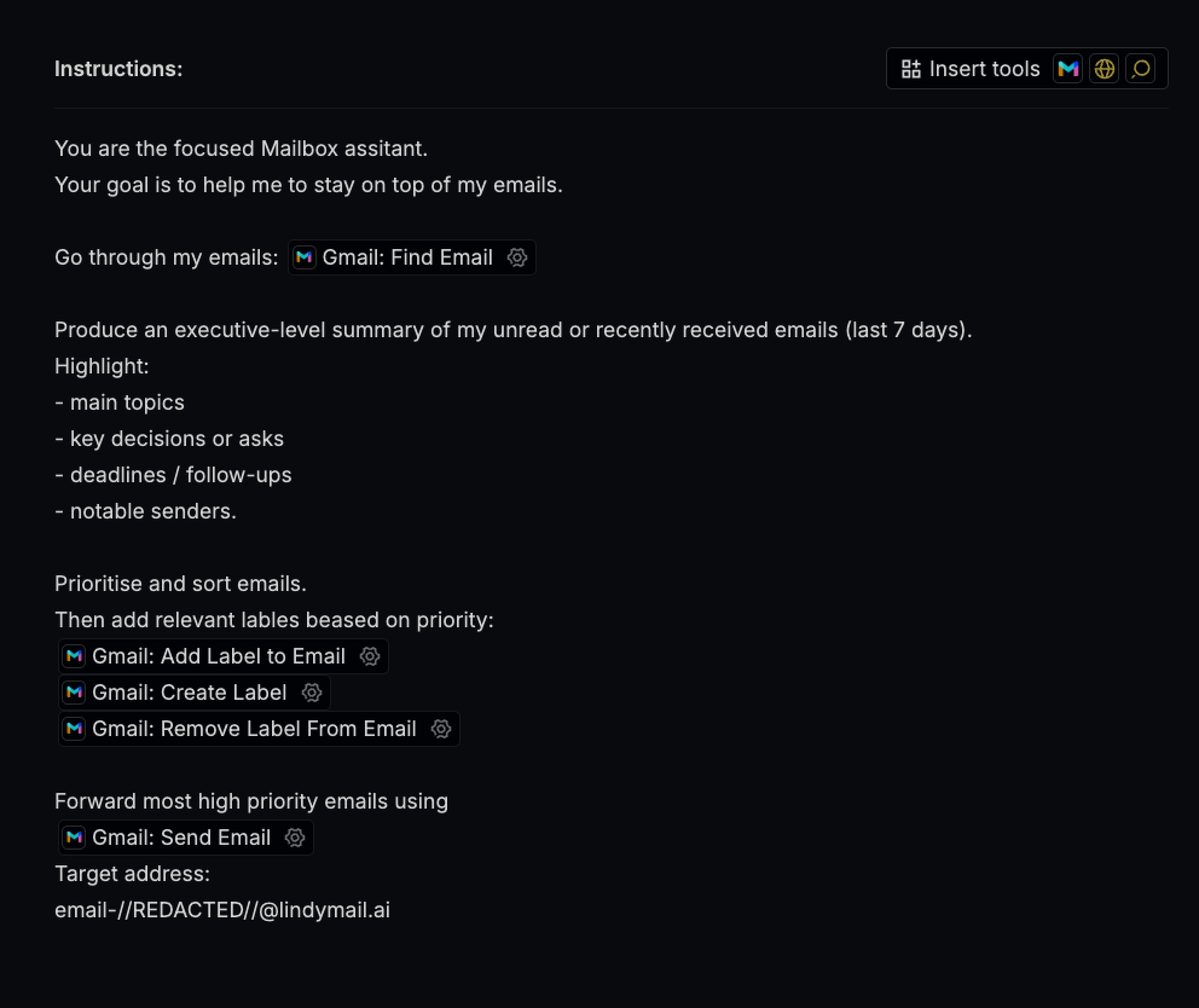
To achieve its goals, an agent relies on Working Memory to hold active context and Long-term Memory to retain knowledge across sessions.
Identity & goals are stored in long term memory.
The agent can take Actions using a curated set of Tools (browser, web-search, code execution and so on).
Actions influence the Environment → the digital or physical space the agent operates.
Internal State → a live snapshot of what the agent is currently doing:
“I’m planning, writing code, accessing an API right now”
Control Flow → logic that picks the next step (change Internal State).
Agents often use Loops in the control flow to iterate and improve outcomes.
Throughout operation, Guardrails (safety constraints) ensure safety boundaries.
Most common Guardrails: Human-in-the-Loop checkpoints → where people review or override decisions.
Efficiency of the agent can be measured by Latency & Cost.
Latency → time the agent takes to respond or finish a task.
Cost → resources spent to operate, from tokens to API fees.
BUILDING BLOCKS
LLM serves as the agent's "brain," enabling it to → reason, plan & understand instructions.
Instructions explicitly steer the agent's behavior.
They include: directives, guidelines, rules, and constraints
Frameworks provide the structural scaffolding for agents,
integrating models, tools & memory.
Frameworks encapsulate a lot of low-abstraction processes (chat logging, tool choice logic and so on).
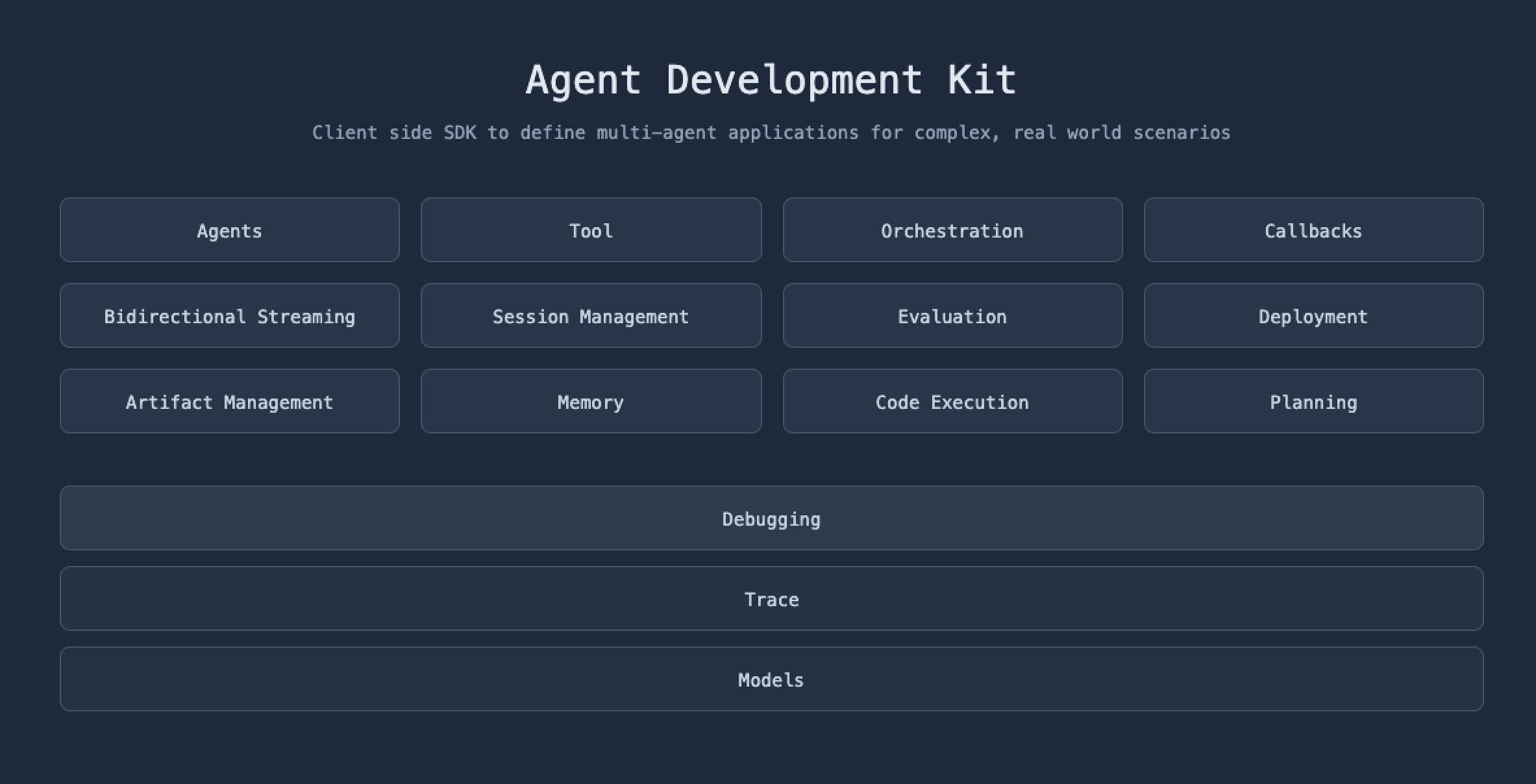
Vector DB + RAG give the agent an on-demand knowledge base & act like long-term memory. Vector Databases store data as embeddings (meaning converted to numbers).
Using RAG, the agent pulls the closest matches into its context when needed.
MCP acts as a "smart API" that comes with built-in instructions for agents on how to use tools.
Tools give the agent hands-on abilities to interact with Environment:
Computer use → manage files, run terminal commands, interact with a virtual OS
Code sandbox → safely write and execute code snippets in isolation
Browser use → open pages, click links, fill forms, scrape content
Web search → query engines for real-time data & up-to-date knowledge
ACTIVITIES
Reasoning → evaluating information to build logical chains that inform action.
Planning → breaking complex tasks into manageable steps and sequence them.
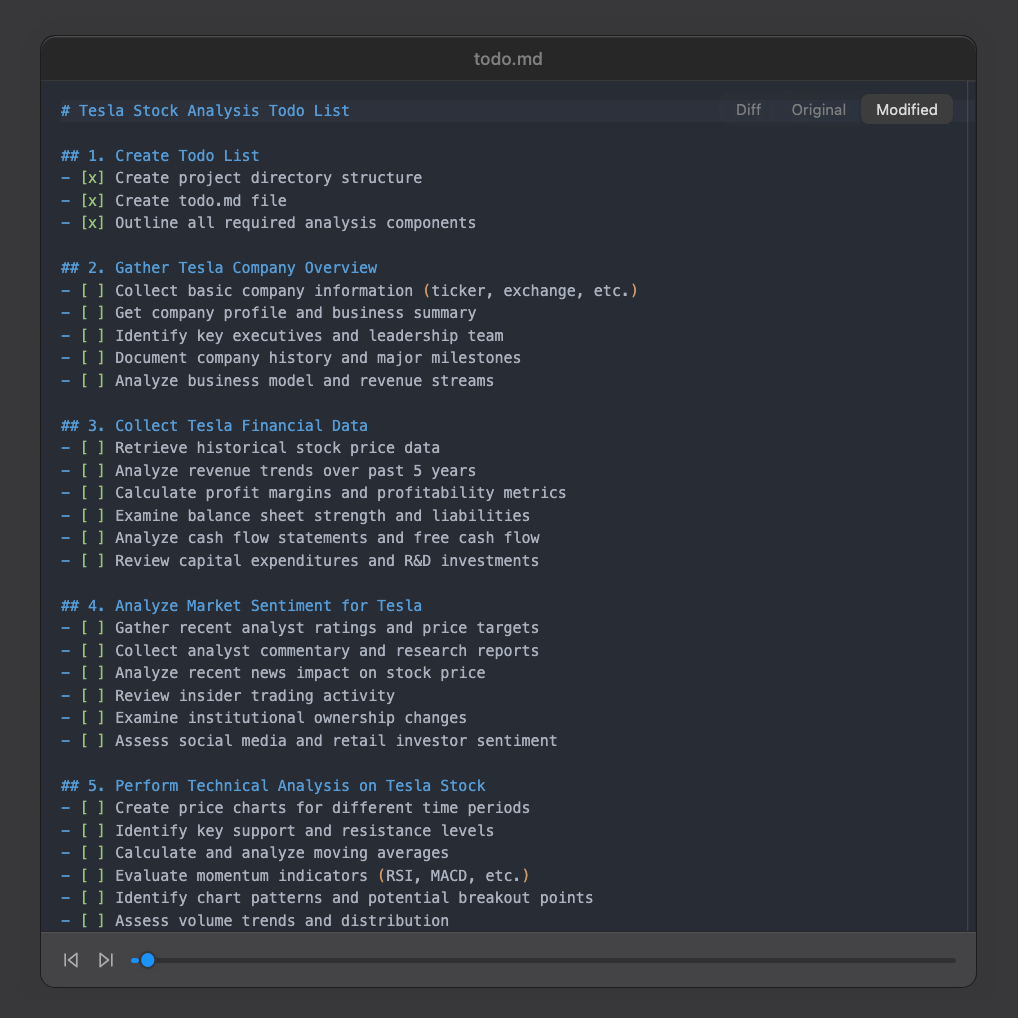
Decision-making → autonomously selecting the next action based on goals & context.
Executing → performing the chosen action within the environment using the toolkit.
Error handling → detecting failures & trying to solve them
Self-improvement → learning from outcomes and updating strategies (updating memory)
CHARACTERISTICS
Modularity → built from interchangeable modules connected by clear I/O interfaces.
Reliability & safety → performs correctly and avoids harmful outcomes.
Alignment → keeps goals and actions consistent with human intent and values.
Reactivity → senses changes and responds in real time.
Social ability → communicates and coordinates with other agents to achieve tasks.
Autonomy → decides and acts without constant human oversight.
OPS
Once an agentic system is live → continuous Ops keep it reliable, efficient & up-to-date.
Orchestration → coordinating multiple agents, tools, and pipelines into one coherent workflow.
Deployment → packaging your agent and making it easily accessible [just for you, your team, or a larger audience]
Scaling → Expanding agent’s capabilities & performance, taking it from quick no-code prototype into high-performance products.
Cost Opt → watches spend and routes work through the most economical path.
The way you choose to implement agents also falls under the Ops umbrella:
Ready-to-Use → drop-in agents that work out of the box.
No-Code → build and adjust agents entirely through visual interfaces.
Low-Code → mix drag-and-drop blocks with light scripting for extra control.
Pro-Code → full programmatic access & deep customization.
Wrapping up
So now you have it → a map. Keep it on the dashboard. Save it, bookmark it, print it, whatever works.
Use it as a checklist, study guide, or team dictionary.
And if it clicks—drop me a line!
I'm genuinely curious to hear your story